Skip to content

Changelog

What's new in Flat for Education. New features, improvements and fixes, newest first.

We ship more than we list here. This page keeps the changes worth knowing about.

September 10·New

API v2.26.0: the OMR API leaves beta, assignments get full read, update and delete

Our REST API specification moves to OpenAPI 3.1, the OMR API closes its beta period, and Flat for Education assignments open up beyond listing and creating.

  • The OMR API is stable. Endpoints, fields and behavior now follow our usual deprecation process before any breaking change. A new FAQ covers credits and billing, limits and processing times, recognition quality and languages, and commercial use and privacy.
  • Read, update and delete assignments in Flat for Education. Deleting an assignment also removes its submissions and the students' copies; archive it instead to keep the work.
  • Credit ledger. A new call lists your credit history; the balance stays on the OMR capabilities call.
  • Finale files (.musx) can be imported, on a best-effort basis, and scanned music import (PDF and images) is documented on score creation.
  • OpenAPI 3.1. Nullable fields use the 3.1 syntax; tooling pinned to OpenAPI 3.0 needs an update. The mimeType field was removed from OMR file uploads.

Also in September

37 smaller changes
August 21·New·

Loop mode, and playback that picks up where you stopped
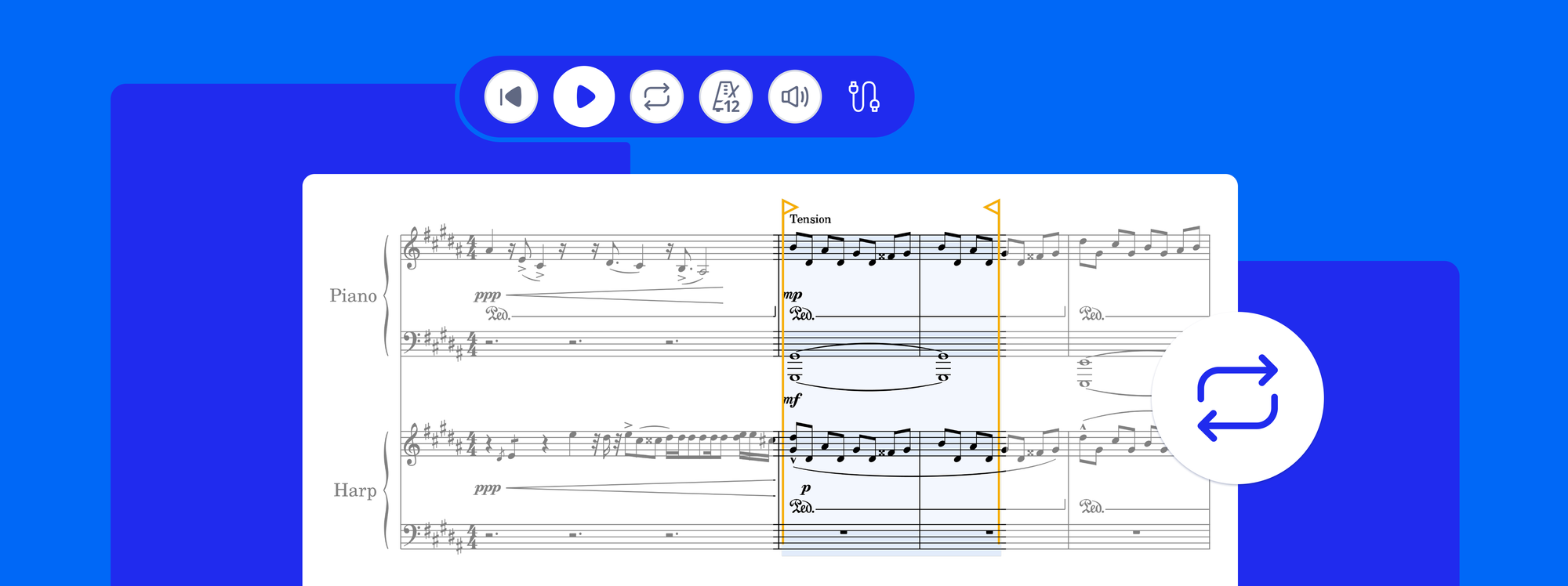
A selected passage in the Flat editor looping, with the loop handles around the bars and the loop button active in the header

Select a passage, press L, and it repeats until you tell it to stop, while the notes stay editable, so every change lands on the next pass. Loop mode is free on every plan.

  • Three ways to start a loop: select bars and press L, choose Loop from the selection menu, or press the loop button in the header to loop the bar your cursor is in. Drag the handles to widen or tighten the range, even while it plays.
  • The notes stay editable. Click a note as it plays, change it, and hear the result the next time round. Loops also work over a synced YouTube, Vimeo, SoundCloud or uploaded recording.
  • Playback starts from your cursor, not from the top. Stopping keeps the position: Space plays from the cursor, Shift + Space resumes exactly where the music stopped (press and hold Play on mobile). Going back to the start moves the cursor while stopped, and restarts playback while playing.

Available in the new editor on the web and on the new mobile toolbar on Android; iOS follows. Embedded scores can loop too, through the embed API.
August 14·New·

The new editor toolbar and panels come to Flat for Education

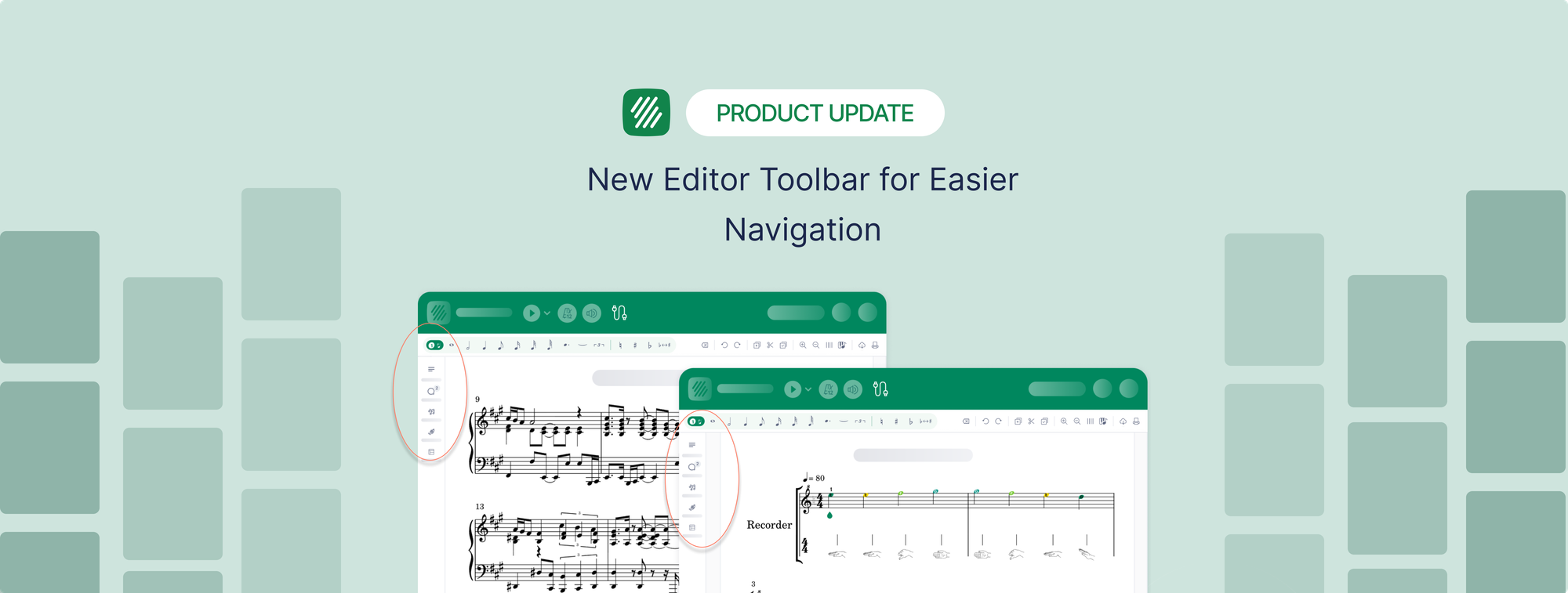
The Flat for Education editor with the vertical toolbar on the left and the assignment instructions panel open next to the score

The editor in Flat for Education now uses the same toolbar as Flat, with a vertical rail on the left that opens panels for notation, instruments, layout and details, plus panels made for the classroom.

  • Assignment panels for students: composition, shared writing, performance, worksheets and free recording each get a panel next to the score, with the teacher's instructions one click away and detachable into a floating window.
  • Review panels for teachers, with the same layout when grading each student's work, and matching previews of the students' scores when creating an assignment.
  • Quick search is on by default: type what you are looking for and the editor finds the tool, limited to the tools your toolset allows.

Read more about the new sidebar on the blog.

August 7·Improved·

A new model version with support for implicit tuplets

A new version of our in-house model now powers every PDF and photo import, focused on how tuplets are printed on the page.

  • Implicit tuplets are now supported. Engravers usually print the small "3" or "6" over the first triplet or sextuplet of a passage only, and leave the groups that follow it bare - the player is expected to carry the pattern on. Those unmarked groups are implicit tuplets: played as tuplets, with nothing printed to say so. They are very common in 19th-century editions, studies, and variations. Scanning now reconstructs them from the rhythm of the measure, instead of dropping notes to make the measure fit its time signature.
  • Fewer tuplets invented out of thin air. The model used to mark ordinary beamed groups as triplets even when no number was printed above them, and those numbers showed up in your score. It now writes a tuplet only where one is actually drawn on the page.
August 4·New

API v2.25.0: control how long OMR jobs keep your files, ABC export

  • Data retention you control. OMR jobs now tell you how long their files are kept (30 days by default), each MusicXML job carries its expiry date, and you can erase a job's files and results as soon as you have collected them.
  • Feature detection before sign-in. The OMR capabilities call works without an account and lists the supported recognition languages with their names.
  • ABC notation export for any score revision, alongside MusicXML, MIDI and the other formats. Like MIDI, it does not carry the full engraving.
  • Free Record assignments can be configured through the API in Flat for Education.
  • Errors coming from an upstream provider (Google Classroom, for example) now carry the provider's own localized message.
August 3·New·

Flat for Education desktop app for Mac and Windows

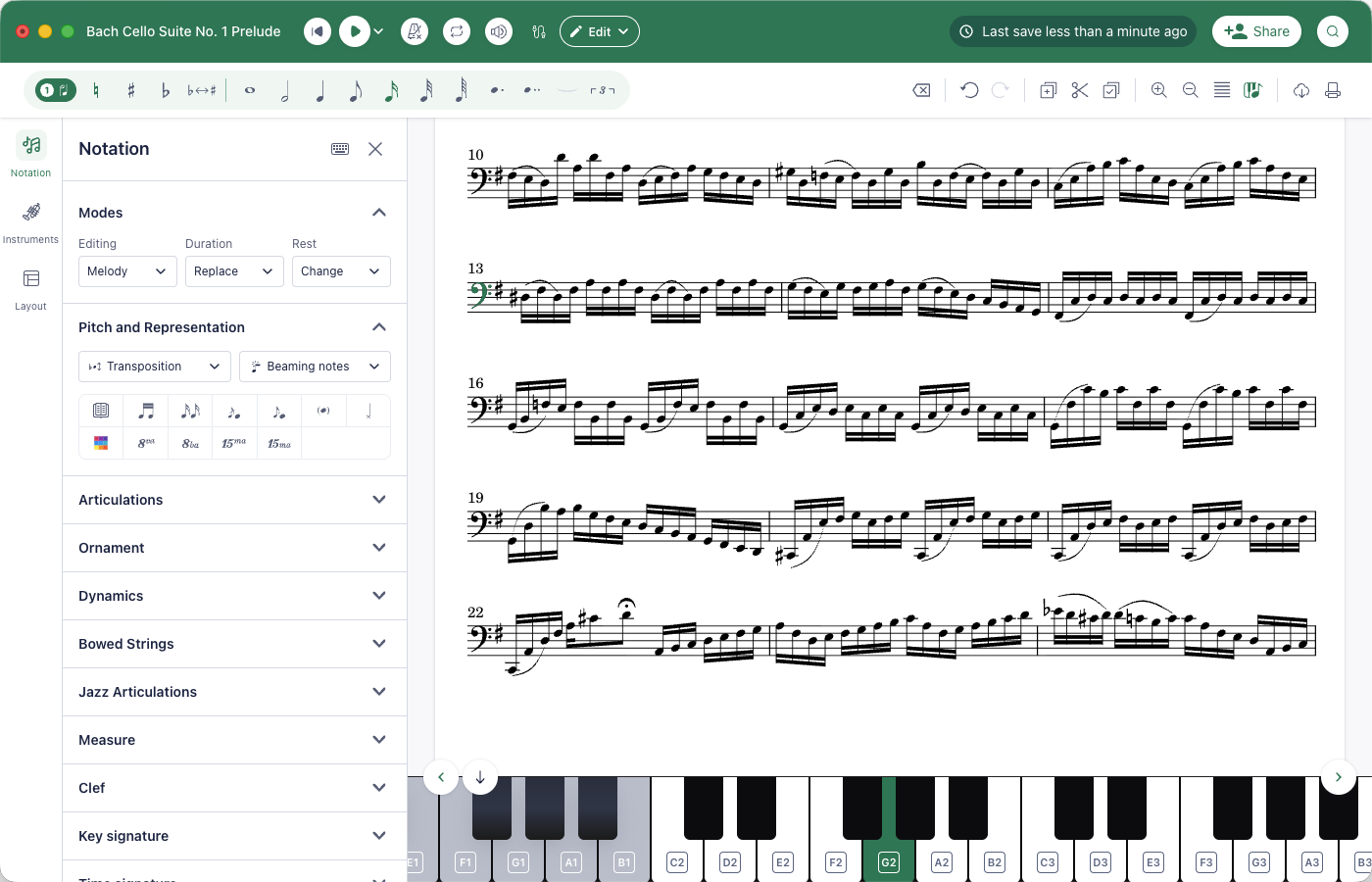
The Flat for Education desktop app on a Mac, editing a cello score with the Notation panel open on the left and the piano keyboard at the bottom

The Flat for Education editor now comes as a desktop app for Mac and Windows. Same account, same scores, for every account covered by a school license: teachers, students and administrators.

  • Works offline. No Wi-Fi in class? Keep composing and editing: your work is saved on the computer, and your changes sync back to your account the next time you open the app online.
  • Your full library, synced. Sign in and every score, assignment and class is there, on the web and on the desktop. Start a score in the browser and pick it up in the app, or the other way round.
  • The complete editor, in a window of its own. Notation, playback, MusicXML and MIDI import and export, PDF export, and note entry from a USB or Bluetooth MIDI keyboard.
  • Install it on every computer. Lab machines, the staff laptop, a student's home computer: there is no per-seat install limit.

Get it from flat.io/edu/desktop, or from your account menu in the web app: it picks the right download for your computer.

Also in August

27 smaller changes
July 24·Improved·

A new model version focused on notation fixes

An improved version of Flat's in-house model now powers every PDF and photo import, in particular:

  • Multi-voice passages with shared rests and invisible rests are now supported.
  • Barlines and repeat endings (voltas) are now placed correctly within measures.
  • Beams are recognized more reliably.
  • Time signatures drawn across several staves, as on orchestral scores, are now recognized.
  • Fixed some chord symbols that were exported to MusicXML with a non-standard chord type.
July 20·New·

Free Record: performance assignments without a score

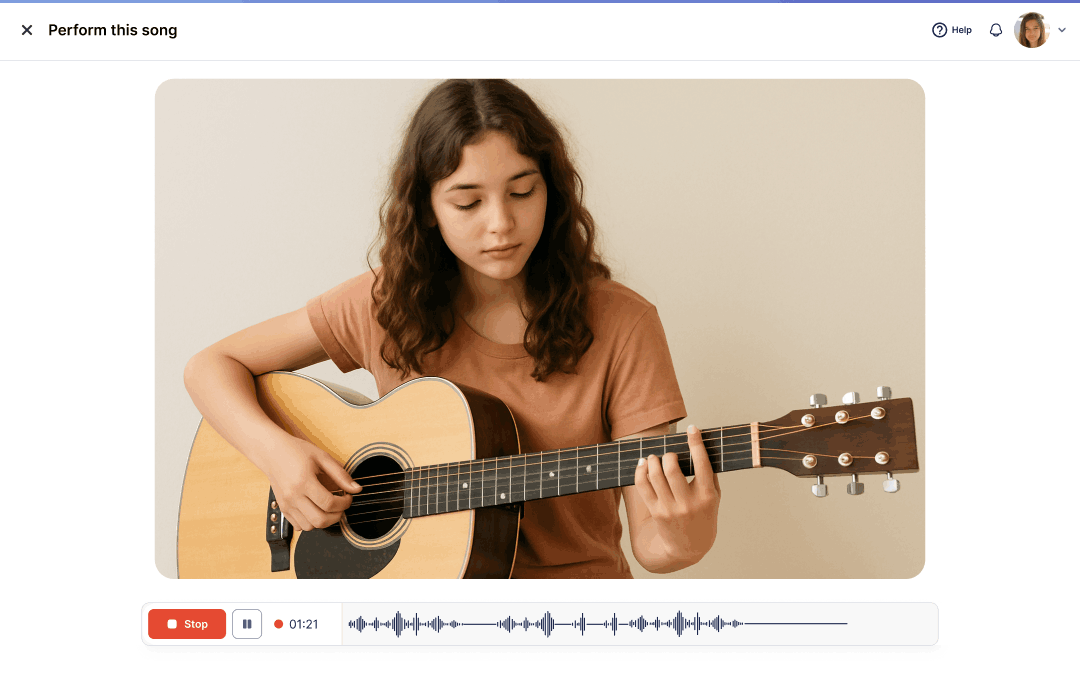
A student recording a guitar performance in a Free Record assignment, with the stop button, timer and waveform below the video

Performance assignments no longer need a score attached. Choose Free Record at the score step when creating one, and students record themselves on whatever the assignment asks for: their own repertoire, an improvisation, a warm-up, or a piece that exists only on paper.

  • For teachers. The creation flow hides the options that only make sense with a score (playback, metronome, backing track, speed). Submissions arrive in a review screen made for recordings, where you listen, comment and grade as usual.
  • For students. The assignment opens on a recording screen with your instructions next to it. They record, listen back, and turn in when ready. Video recordings are supported.

Score-based performance assignments work exactly as before. Read more on the blog.

July 17·Improved·

Sight Reading Generator: key and time signatures, band parts, and a practice mode for students

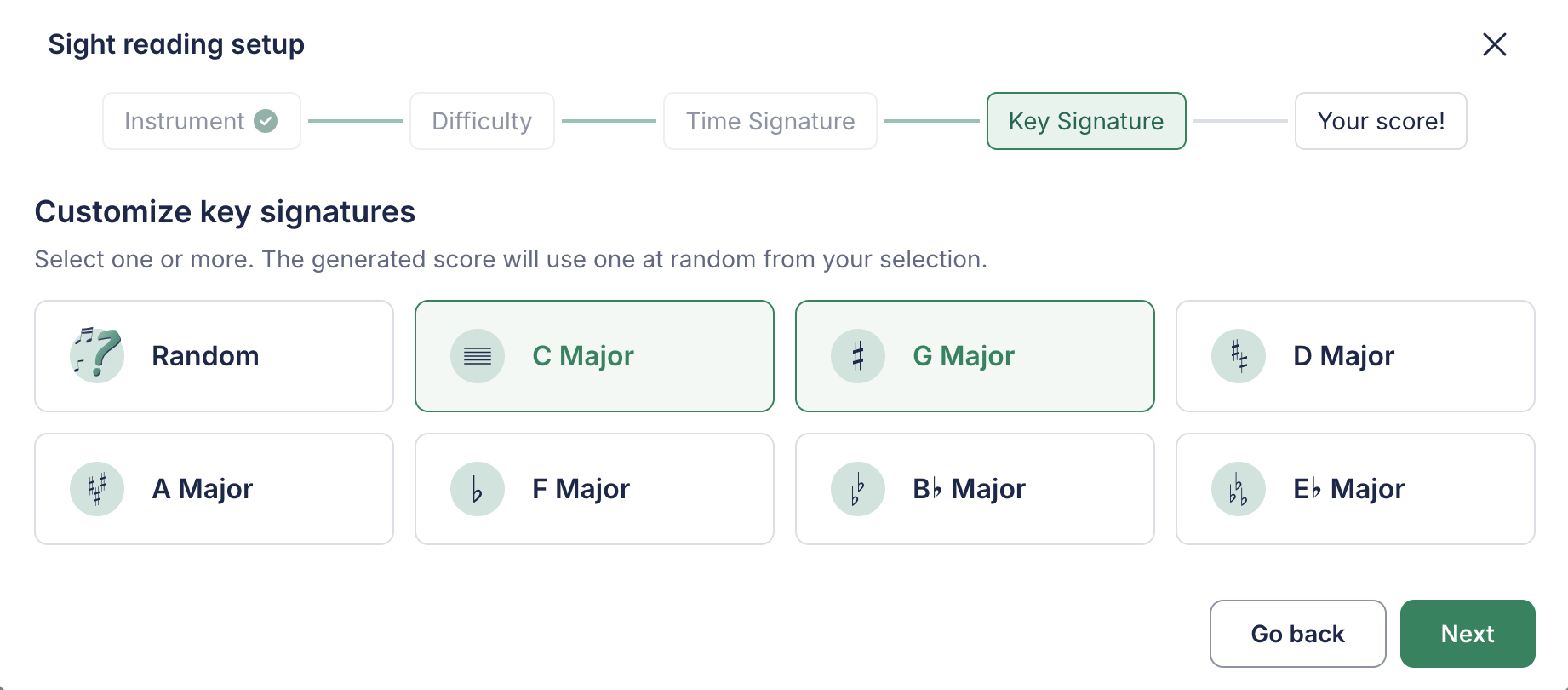
The Sight reading setup dialog on the Key Signature step, with C major and G major selected among the eight key options

The Sight Reading Generator gets more control over what it writes, and a way for students to use it on their own.

  • Choose the key and time signatures. Pick one or several keys and meters, and every exercise stays within them, along with the range you set for the instrument.
  • Parts for the whole band. Generate an exercise for a band and every section gets its own part, in its clef and transposition (concert pitch, B flat, E flat, F, bass clef), all reading the same line.
  • Straight into the assignment. Open the generator from the performance assignment creation flow and attach the result without leaving it.
  • Practice mode for students. Students find the generator on their own tools page and generate exercises to read at their own pace, outside any assignment. Nothing is submitted or graded.
  • Opens in track view. A generated exercise opens in the horizontal track view, ready to read from left to right, and never places two rests in a row.

Read more on the blog.

July 15·New·

Import a PDF or photos into an editable score, with a review step

Importing sheet music from a PDF or a photo has a new flow on the web app, built on Flat's in-house recognition engine. It replaces the previous PDF import for everyone.

  • Pick the pages you want. Upload a PDF or several photos, then keep only the pages that contain the music. Each page you keep uses one credit.
  • Follow the recognition as it runs. A progress bar shows where the scan is, page by page, and you can keep using Flat while it works.
  • Review before the score is built. When the engine is unsure about an instrument, it asks you to confirm the title and the instruments it detected, with the part names printed on the page shown next to each one. When every instrument is certain, this step is skipped.

Available in Flat and, for teachers and administrators, in Flat for Education. The new flow comes to the iOS app in the upcoming weeks.

July 10·New·

OMR is now available as a developer API

Flat's OMR engine is now available programmatically through the developer API. Send PDFs or photos, follow recognition progress, review the detected instruments, then import the result as an editable score in a Flat library or export MusicXML or MIDI. It's the same in-house model that powers PDF and photo import in the editor, now available at scale for your own apps and workflows.

The dedicated OMR API (v2.24.0) builds on the background PDF import added to score creation in v2.23.0: ask for task support when importing a file and poll the task until the score is ready. See the API changelog for the details of both releases.

July 8·New·

Support Admin: a new role for staff who manage the school account but do not teach

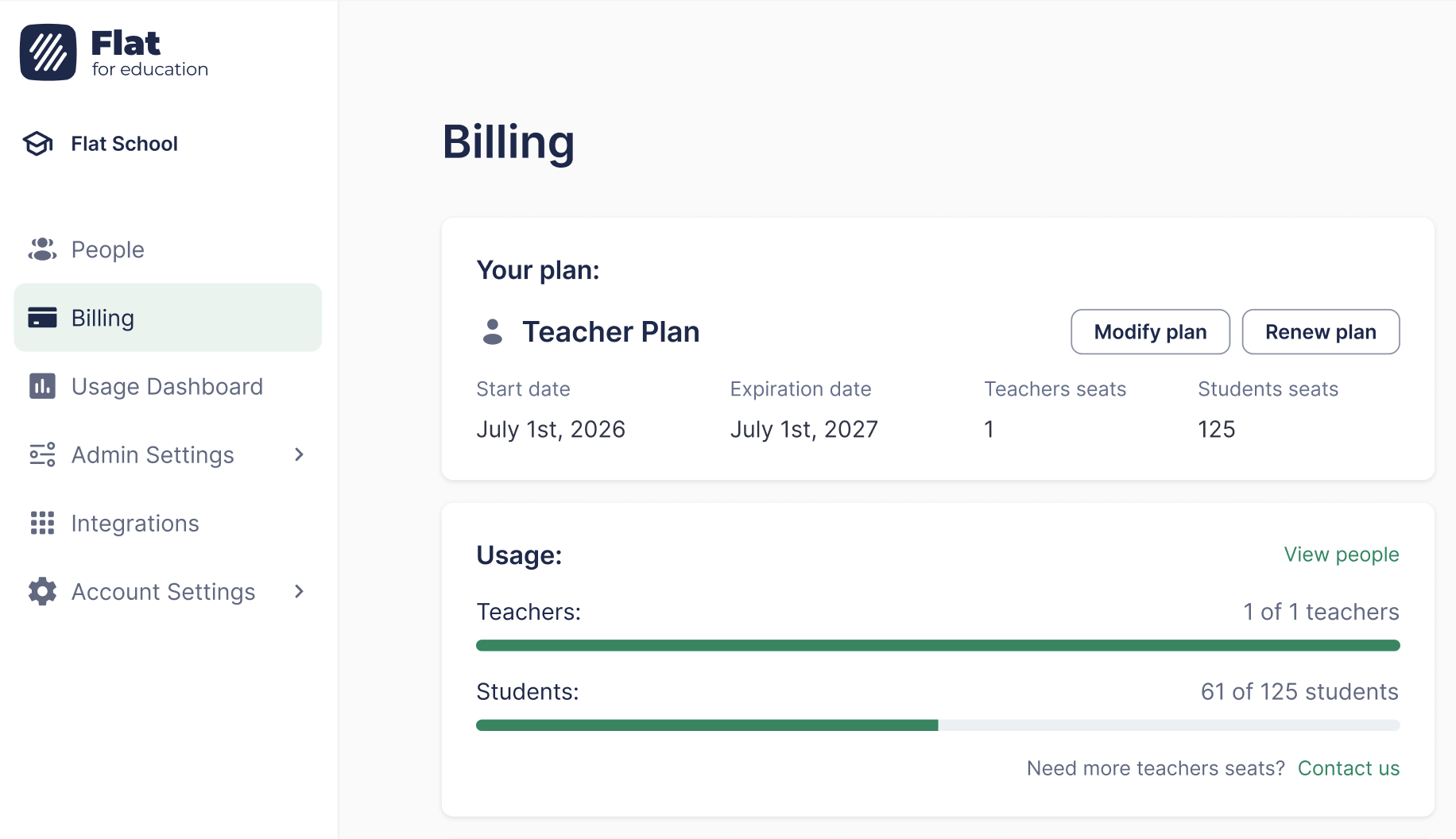
The Flat for Education dashboard as seen by a Support Admin, with People, Billing, Usage Dashboard, Admin Settings and Integrations in the sidebar and no classes

Flat for Education now has four account roles: Admin, Support Admin, Teacher and Student. The new Support Admin role is for the people who run the school behind the scenes (IT contacts, finance teams, directors) and need to manage the account without teaching.

  • Full management access: billing and subscription, People (invite and remove teachers and students), school settings, integrations and the Usage Dashboard.
  • No teaching tools: no classes, no assignments, no student work to review.
  • No license seat used: add as many Support Admins as your school needs. If someone holds the Admin role only to see billing, switching them to Support Admin frees a teacher seat at no extra cost.

Admins and Support Admins assign roles from the People section. See roles and permissions for what each role can do, or read the blog post.

Also in July

29 smaller changes
June 23·Improved·

Sharper page analysis for complex layouts

We've improved how scanning reads the layout of a page. Imports of PDFs and photos now produce cleaner, more accurate scores, especially on complex layouts:

  • Dense pages now split correctly. Pages with many short systems stacked on top of each other are no longer merged together - each system is detected separately.
  • Better on orchestral and large-ensemble scores. Multi-staff instruments such as piano and organ, and large scores with many staves, are recognized more reliably.
  • Wide, landscape, and booklet layouts. Landscape pages no longer clip the left edge (which could cut off clefs), and multi-page and booklet scans are handled correctly.
  • Fewer stray detections. Spurious elements near page footers and margins are no longer picked up as music.
June 16·Improved·

The tuner now has instrument presets, alternate tunings, reference notes and A=440 calibration

The Flat for Education tuner with a guitar preset selected, showing the strings to tune and the pitch meter

The tuner in Flat for Education has been rebuilt around the instruments your students play.

  • Instrument presets. Pick guitar, bass, ukulele, mandolin and more, including 7 and 8-string guitars, baritone ukulele, 5-string bass and mandola, and the tuner shows each string to tune. The free-pitch mode is now called Chromatic.
  • Alternate tunings. Drop D, open tunings and other common alternatives are available for every fretted instrument, not only guitar.
  • Reference notes. Play a string's pitch and tune by ear.
  • Calibration and a precise readout. Set the reference pitch away from A = 440 Hz when an ensemble needs it, and read the deviation in cents next to the detected frequency. The redesigned meter keeps the target fixed and moves the indicator, and a history shows the last notes played.
  • In the editor. The tuner also opens from the editor toolbar and preselects the instrument of the current part.

Find it under Tools, next to the metronome and tone generator, or read the practice tools guide.

June 15·Improved·

A more accurate model

Every PDF and photo import is now processed by Flat's own in-house model. This release is a major new version focused on transcription accuracy: musical correctness (the notes, rhythms, ties, and accidentals that determine whether a score is right) improves across every test set, with the largest gains in:

  • Dynamics: +39%
  • Fermatas, articulations, ties, accidentals: +30 to 37%
  • Note durations: +22%
  • Slurs, dotted notes, rests, staff and voice assignment: +14 to 20%

Text, dynamics, and layout placement are also more precise: lyrics, chord names, and dynamics attach more reliably to the correct notes, including on complex layouts such as piano grand staves and parts with clef changes.

June 1·New·

Our own AI model starts rolling out

We're rolling out Flat's own AI model for PDF and photo import, designed and trained in-house to replace the third-party engine used at launch. Owning the technology end to end lets us push accuracy further, broaden what we recognize, ship improvements far faster, and align results with Flat's own notation format so imports fit naturally into the rest of the product. This first release already reads much more of your music:

Broader notation coverage. Newly recognized:

  • Chord symbols, properly encoded with their musical meaning as editable chords, not just plain text
  • Measure repeats and rhythm slashes
  • Tempo and metronome markings (with BPM)

Lyrics and text in more languages. Lyrics, rehearsal marks, and other text are recognized in Latin-script languages by default, plus Japanese, Korean, and Chinese.

Truer to the original layout. Imports now follow the source score's layout much more closely, matching the number of measures per line, systems per page, and overall structure. This makes a real difference on large, complex scores such as orchestral works and multi-staff instruments like piano. It also supports more page formats, including landscape pages that weren't supported before.

Also in June

17 smaller changes

In May

1 smaller change
April 7·New

API v2.22.0: 15+ import formats, virtual collections, rubrics, student groups and LTI 1.3

The largest specification update since 2024, catching the API up with two years of product changes.

  • Import from 15+ formats. Guitar Pro, MuseScore, ABC notation, PowerTab, Capella, MEI, Overture, TablEdit, Band-in-a-Box, Karaoke MIDI, MuseData, Score Writer, Bagpipe Music Writer and Encore join MusicXML and MIDI, and scores can be exported as native .flat files.
  • Virtual collections. All scores, collaborations and likes replace the legacy folder hierarchy in the library, matching the redesigned Flat library.
  • Flat for Education. Performance assignments with audio or video recordings and backing track, metronome and speed options; group submissions for shared writing; rich text instructions; student sub-groups; scheduled and individually targeted Microsoft Teams assignments; rich descriptions and assignment types in the resource library.
  • Unified LTI configuration for LTI 1.1 and 1.3, including dynamic registration. The previous LTI 1.1 credentials calls are deprecated.
  • Yearly statistics on scores, public score counts on profiles, and removal of a few long-deprecated fields.

Also in April

1 smaller change

Looking for something older?

This page starts with September 2025, when PDF import shipped. Everything before that is written up on the Flat blog, release by release.